Archives
now browsing by author
I somehow managed to prevent moving of icon in one of my desktops.
I somehow managed to prevent moving of icon in one of my desktops. I can only move them in edit mode. Anybody know what the likely setting was? Thanks
Class for playing sound using local file or scripted data.
1. Class definition
========================================================
function SoundPlayer(scriptNameForSounds) {
LL.bindClass(‘java.io.File’);
LL.bindClass(‘java.io.FileInputStream’);
LL.bindClass(‘java.io.FileOutputStream’);
LL.bindClass(‘android.os.Environment’);
LL.bindClass(‘android.media.MediaPlayer’);
LL.bindClass(‘android.util.Base64’);
this.SCRIPT_NAME_FOR_SOUNDS = scriptNameForSounds;
this.PATH_SOUNDS = Environment.getExternalStorageDirectory() + ‘/LightningLauncher/Sounds’;
new File(this.PATH_SOUNDS).mkdir();
// Use one MediaPlayer for several instance of SoundPlayer.
if (self.mediaPlayer) {
this.mediaPlayer = self.mediaPlayer;
}
else {
this.mediaPlayer = self.mediaPlayer = new MediaPlayer();
}
SoundPlayer.prototype.play = function(name) {
try {
if (!name) {
throw ‘Error(SoundPlayer.play): No sound name entered.’;
}
var soundFile = new File(this.PATH_SOUNDS, name);
if (!soundFile.exists() || soundFile.length() == 0) {
if (!this.SCRIPT_NAME_FOR_SOUNDS) {
return; // No script for sounds and no file in
}
var scriptSounds = LL.getScriptByName(this.SCRIPT_NAME_FOR_SOUNDS);
if (!scriptSounds) { throw ‘Error(SoundPlayer.play): No ‘ + this.SCRIPT_NAME_FOR_SOUNDS + ‘ script’; }
var sounds = eval(scriptSounds.getText());
if (!sounds[name]) { throw ‘Error(SoundPlayer.play): No ‘ + name + ‘ in ‘ + this.SCRIPT_NAME_FOR_SOUNDS + ‘ script’; }
var fos = new FileOutputStream(soundFile);
fos.write(Base64.decode(sounds[name], Base64.DEFAULT));
fos.close();
}
var mp = this.mediaPlayer;
mp.reset();
mp.setDataSource(new FileInputStream(soundFile).getFD());
mp.prepare();
mp.start();
}
catch(e) {
// for debug. normally ignore all errors/exceptions silently.
// Android.makeNewToast(e, true).show();
}
}
}
========================================================
2. How to play local sound file (for normal end users)
– Place any sound files under ~LightningLauncher/Sounds folder.
In your script,
var player = new SoundPlayer();
player.play(‘click1.mp3’); // plays ~LL…/Sounds/click1.mp3
========================================================
3. How to play scripted sound file (for developers who want to distribute their own sound clips or open-sourced ones within scripts)
– Prepare sound clip.
– Encode it to MP3, or OGG for a small size. I use http://media.io site.
– Encode MP3/OGG.. to base64 form I use http://base64-encoding.online-domain-tools.com
– Create
// my_sounds_script_name
(function() {
return {
SOUND_NAME : ‘BASE64 String…’,
‘click2.mp3’ : ‘ZFSAACSD … =’,
‘click3.ogg’ : ‘DSDSW.ds … =’
};
})();
You can embed as many as BASE64’ed sound clip in script.
—
In your script using sounds,
var player = new SoundPlayer(SOUND_SCRIPT_NAME);
player.play(SOUND_NAME);
ie.
var player = new SoundPlayer(‘my_sounds_script_name’);
player.play(‘click1.mp3’);
player.play(‘click3.ogg’);
// If ~LL…/Sounds/click1.mp3 exists, then play that file.
// If not, it creates ‘click1.mp3’ file using
If you’ are to use sounds in several scripts, you had better cache SoundPlayer object, for example:
if (!self.mySoundPlayer) {
self.mySoundPlayer = new SoundPlayer(‘my_sound_script’);
}
self.mySoundPlayer.play(‘click.mp3’);
========================================================
Using this method, you can use sound effects and distribute them only using LL’s script feature.

While I am always amazed at the results we can achieve on our home screens (with gerd reuter templates as I don’t…
widget columns

widget columns
Maybe you remember a video of my home screen one year ago. There I showed this script in action, however it had a workaround for a problem lightning had in the past, you couldn’t specify a custom bounding box.
Since one or two version before the current one, this is now possible. I planned to release this some months ago, but in the end I encounter another problem, and I couldn’t post it.
Now it’s time to do so.
The instructions to set it up are relatively simple: in a container (I recommend a panel) with the widgets detached, run the script from items/events specifying those script data:
zoom – to decrease the number of columns
unzoom – to increase the number of columns
1 (or any other positive integer) – to set exactly that number of columns
0 (or any other negative number) – to recalculate without changing the current number of columns
Don’t specify a data and it will update only the bounding box
I recommend to run the script from the resumed event of the container without data. This will ensure the bounding box is always the good one.
Notes:
Only widgets will be moved, if you need to change this edit the script.
The script has a little borders configuration that you can modify to your needs (in the video I have borders set)
You can also specify the velocity and frequency of the animation.
]]>Pierre Hébert I think it would be good if Lightning launched a background thread when opening the appdrawer, which…
I see two possibilities: query all launcher activities and compare the two sets or query each item intent. I guess the first one is faster, but I haven’t tried.
]]>PurpleHills
PurpleHills
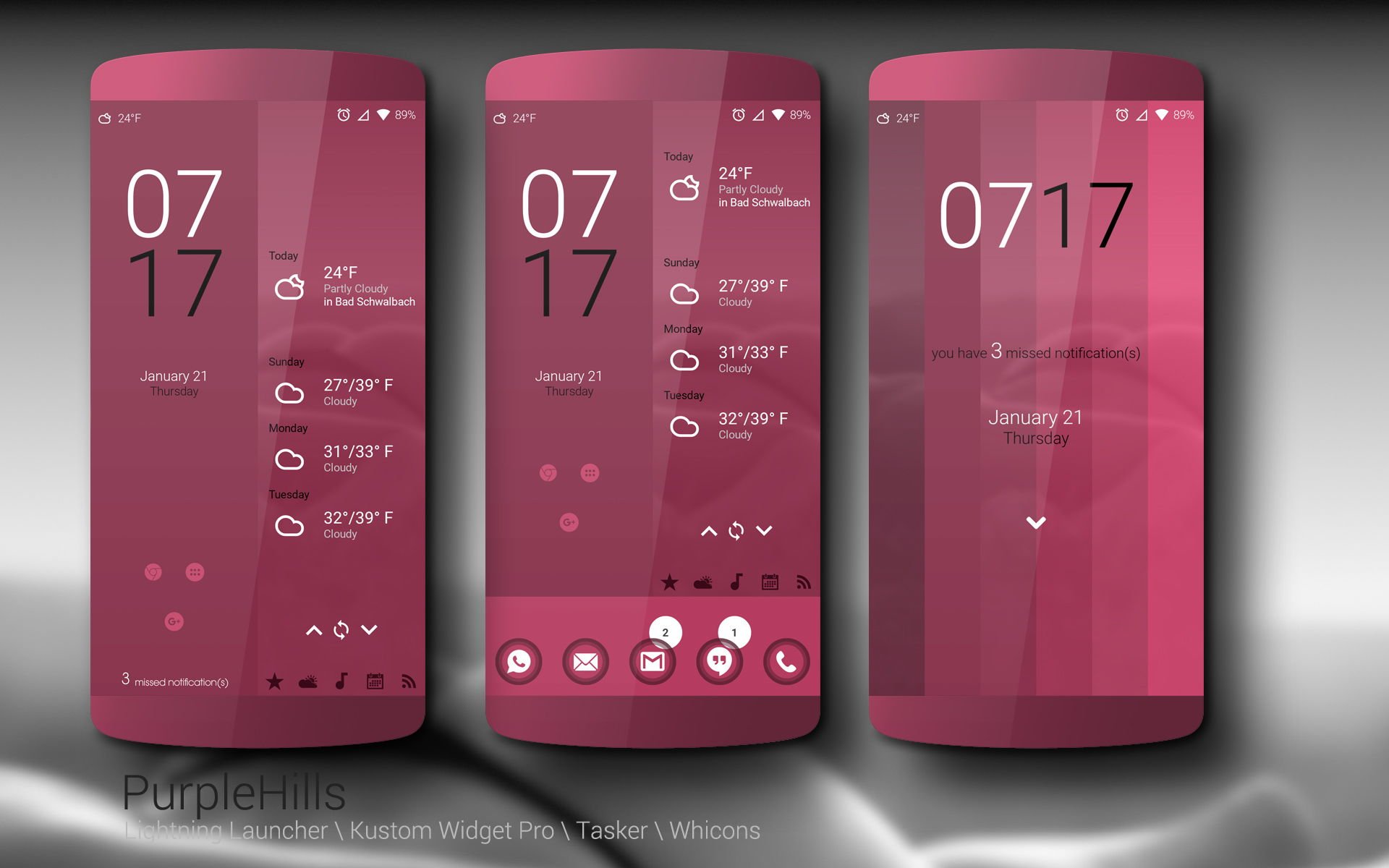
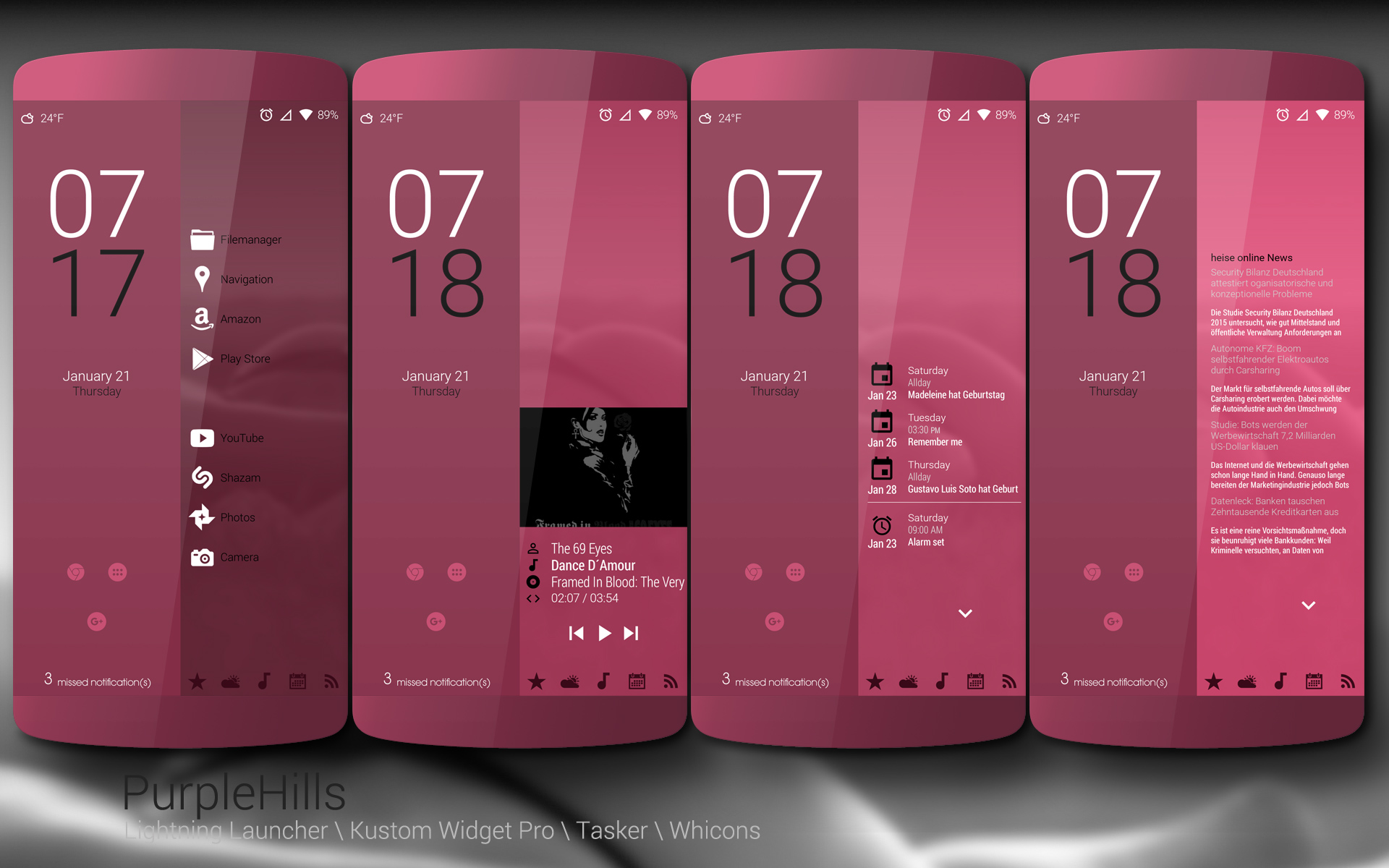
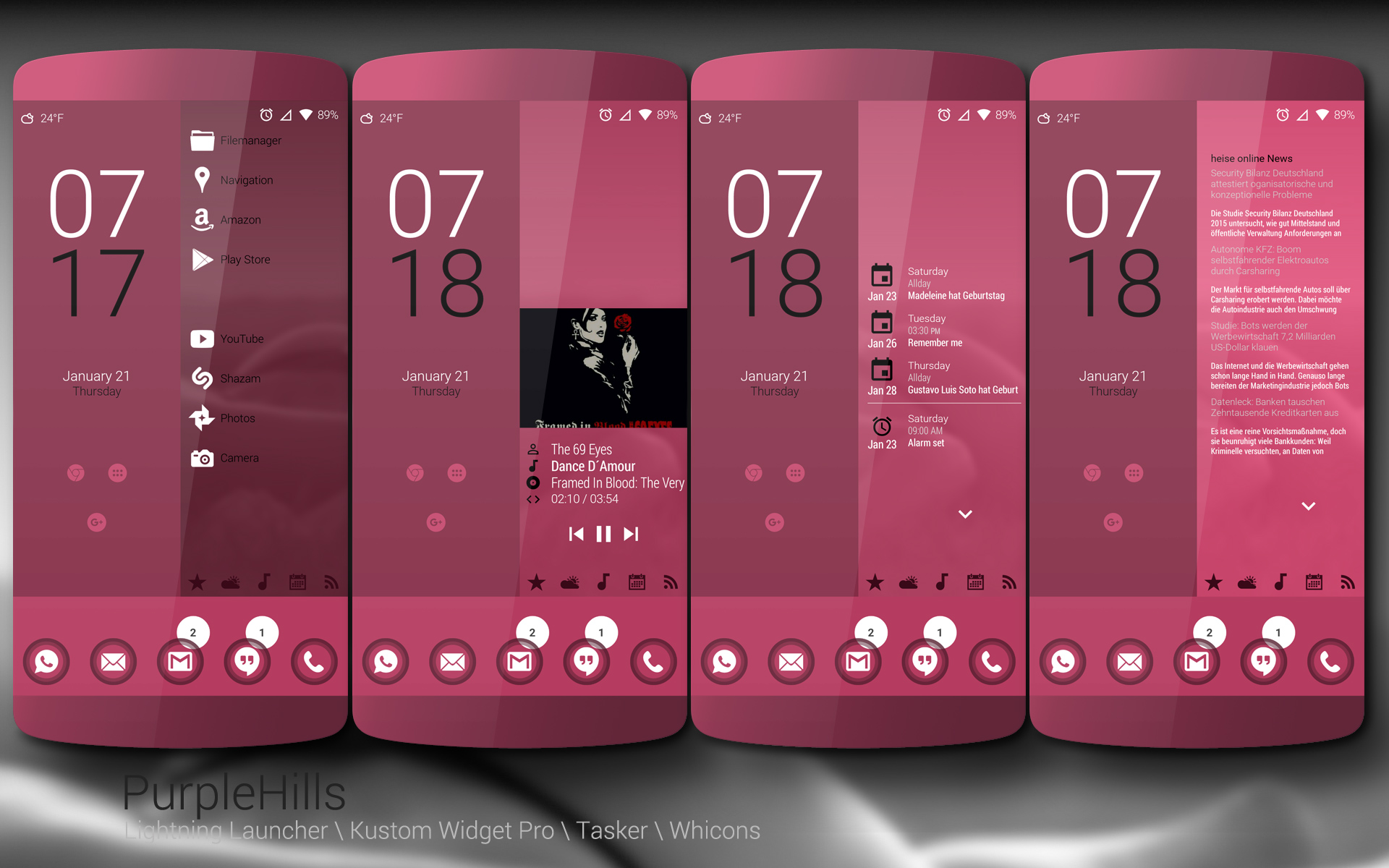
for Lightning Launcher Template with Kustom Widget,Tasker and Whicons. Completely recreated/recoded from the old Version which was with Zooper.
Navigation by Scroll or Tap. Resolution is 1920×1080 (w/o Navkeys).
Should work with other Resolutions and Navkeys too, you may need to adjust the Widgets.
RSS-Feed scrolls up and down with arrows.
Agenda scrolls also up and down with arrows.
Weather scrolls forward and backwards with arrows.
Video:
https://www.youtube.com/watch?v=Zp2EmvJ63ww
Available at Playstore:
https://play.google.com/store/apps/details?id=de.werksmannschaft.lltemplate.purplehills

I got a problem when I try to bind the desktop’s position x to the item’s transparent property.

I got a problem when I try to bind the desktop’s position x to the item’s transparent property.
Can anyone help me to make it correct?
]]>Hello! I’m new to LL, a very nice launcher.
Hello! I’m new to LL, a very nice launcher.
But I can’t find how I can change the box color of an element (let’s say a text) with the bindings, if it’s possible. The color will be based on a variable, set with tasker.
I know how to change the text color, but I can’t find the right property to change the box…
Can you help me?
 D5 Creation