June, 2014
now browsing by month
There is a main feature I used to use on Nova Launcher, is the action “Recent Apps”
Can you add this action in the action list ?
I usually use it on the Home button when I’am on desktop, so I don’t need to long press the homme button to get the list of recents apps !
Thank’s !
]]>Guys can any one help..how create slide bars… In details please.
I’m not sure if this is a bug.
Script 1 errors out on line 3:
// Script 1
var panel = LL.getContainerById(65564);
alert(panel);
alert(panel.getPositionX()); // Wrapped java.lang.NullPointerException
But the following script works:
// Script 2
var panel = LL.getItemById(65564);
alert(panel.getContainer().getPositionX()); // gives me the expected values
In script 1, given that item 65564 is not itself a container, should the exception not occur in the call to getContainerById(65564)? Or perhaps getContainerById(65564) should return null instead of an object?
]]>reddish
reddish
Lightning Launcher eXtreme \ Zooper Widget Pro \ Media Utilities \ Tasker \ Simple RSS Widget \ LLX Lockscreen \ Magma UI Icon Pack
Video:


The message, update becomes difficult it becomes a case where I’m was incorporated into the first Zooper, the number…
Still, there is room for improvement.
If it were not wallpaper that I made of 宮比のん, I was not able to, thank you.
Originally shared by Yuichi Taguchi
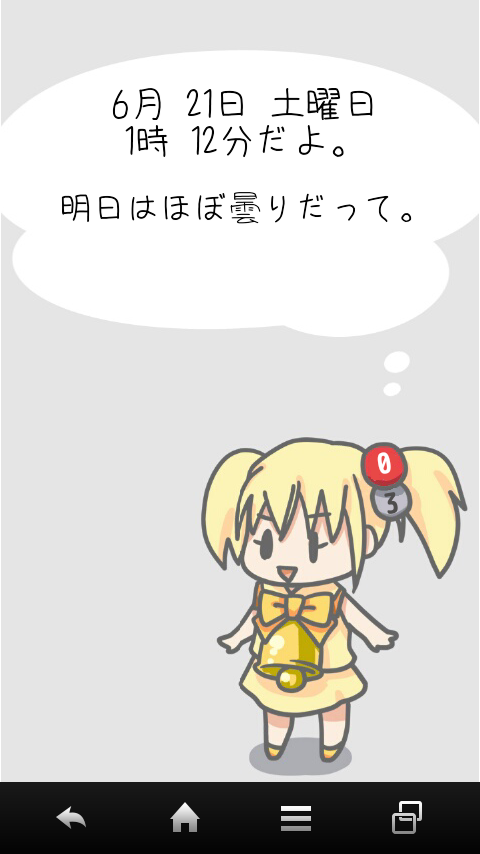
こんなん、なりました〜。
メッセージは、最初Zooperに組み込んでたんだけども、数が多くなると更新も出来ないので、メッセージは外だしのテキストファイルにして、Taskerで「読み込み→ランダムに一行選択→Zooperに渡す」にしてます。
まだ、改善の余地ありですけどね。
宮比のんさんの壁紙無かったら、出来なかった。ありがとー。


Just wondering if there’s any plans to add a color picker for the action bar cheers.
Challenge

Challenge
Let’s wake up a bit this community with a challenge open to everyone (no prize sorry). This is a mathematical challenge to make a script, however you can also try if you don’t know scripting, just tell the steps or write the formulas.
This task is something I’ve been thinking for a lot myself, but I couldn’t get the right answer until now. This is the challenge in case you want to try, not very difficult, easy when you find the answer, but really tricky specially if you take the wrong way (and I took a lot of wrong ways 😛 )
As you probably know, you can get geometry data from items: size, scale, (skew), rotation and position.
However the position you get is the one of the top left corner of the minimum box surrounding it.
What if you want to know the center of the object?
(Note: let’s assume skewX=skewY=0 to avoid that strange parameter)
Task: Write a function with:
Input: an item (or their geometry data as said before)
Output: a vector [x,y] with the position of the center of the object.
You can use the Math functions (cos, sin, tan, acos, asin, atan, abs, sqrt, pow, … )
The video shows how it should behave in action. The cross item is the input, the circle is the output.
(About the ending part: all questions will be answered at the end of the month)
Submit your answers here in comments. You won’t win anything sorry, just the fact of solving this tricky challenge 🙂 I’ll publish my own solution when necessary, I expect to do it in one week or less. I want first to see others.
Also, keep in mind that this is really useful, it doesn’t only tell you the center, also the size of the whole item. Perhaps in the future Pierre will be able to implement the getBoundingBox in items, but from now we have this.
If you found this too easy, this is an extra variation (that I personally couldn’t resolve, so I can’t provide the right answer): modify it to work with skew too.
]]>Video and files for latest….please take into consideration my videos are crap lol…template and backup for LLX…

Originally shared by Jeff Ludlow
Video and files for latest….please take into consideration my videos are crap lol…template and backup for LLX are included,i’m on the beta so you should be too…if ya dont like my weather in the video i also included a fullscreen one too…hope ya’s like 🙂
files here…https://www.dropbox.com/sh/n6k3eln6h1dtiot/AADQ4WJAIJb1bhwCeEeyIZeTa
]]> D5 Creation