January, 2015
now browsing by month
Finally.
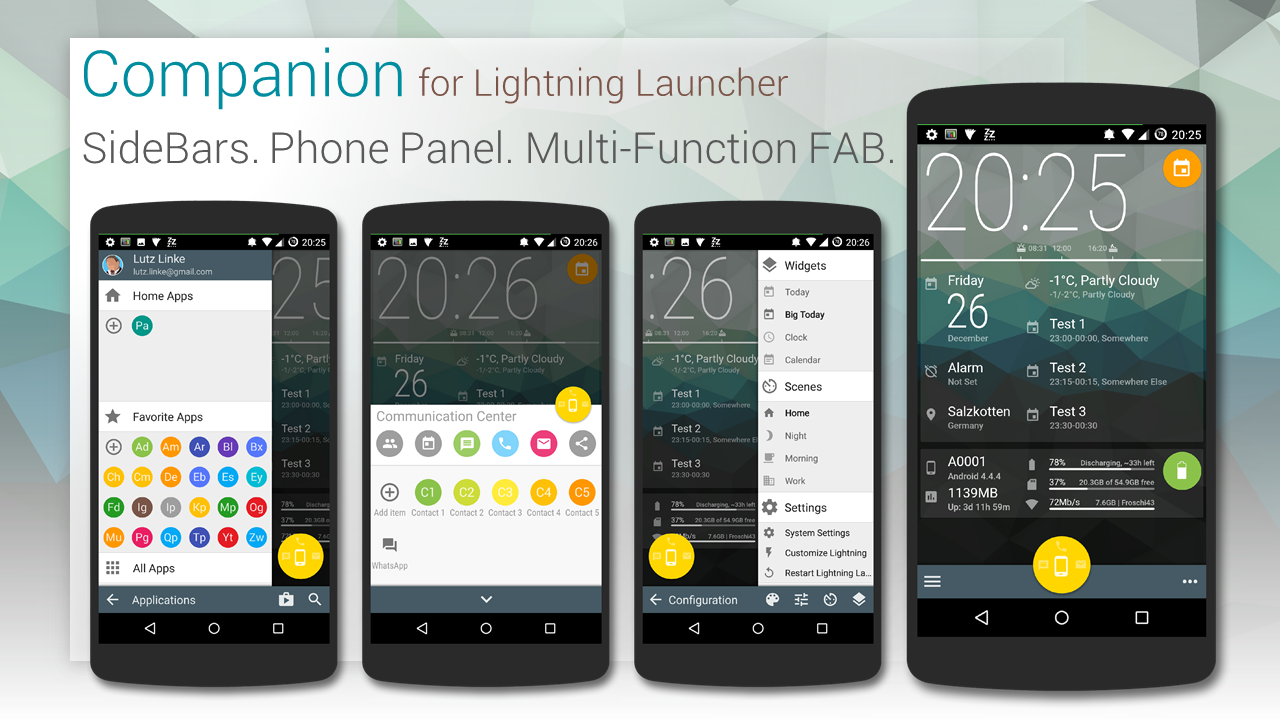
Finally… here’s “Companion”, my new template for Lightning Launcher I worked on over the last months. Don’t judge by the pictures, watch the video, there’s animations and transitions everywhere. Enjoy.
WARNING: It is not recommended to install on devices with resolution higher then 1080×1920, since higher memory usage might cause instabilities, even freeze or crash LL. I’m sorry. I will try to optimize the template.
Originally shared by Lutz Linke
“Companion” for Lightning Launcher eXtreme
Now on Google Play Store …and: IT’S FREE!!!
https://play.google.com/store/apps/details?id=de.echtzeitig.lltemplate.companionhome
Designed for phones with 1080×1920 resolution, but also works on other 9:16 ratio like 720×1280.
Short promotional video here:
To get you started, here’s a more lengthy feature guide: http://youtu.be/Zme2rwdv4b0
For more information and support, please visit (and join) my community “echtzeitig apps” (https://plus.google.com/communities/110806742565956815090)
“Companion” is your daily companion template for Lightning Launcher:
– FAB (REALLY floats; visualizes missing calls, SMS and GMail; swipe gestures for quickly launching the apps)
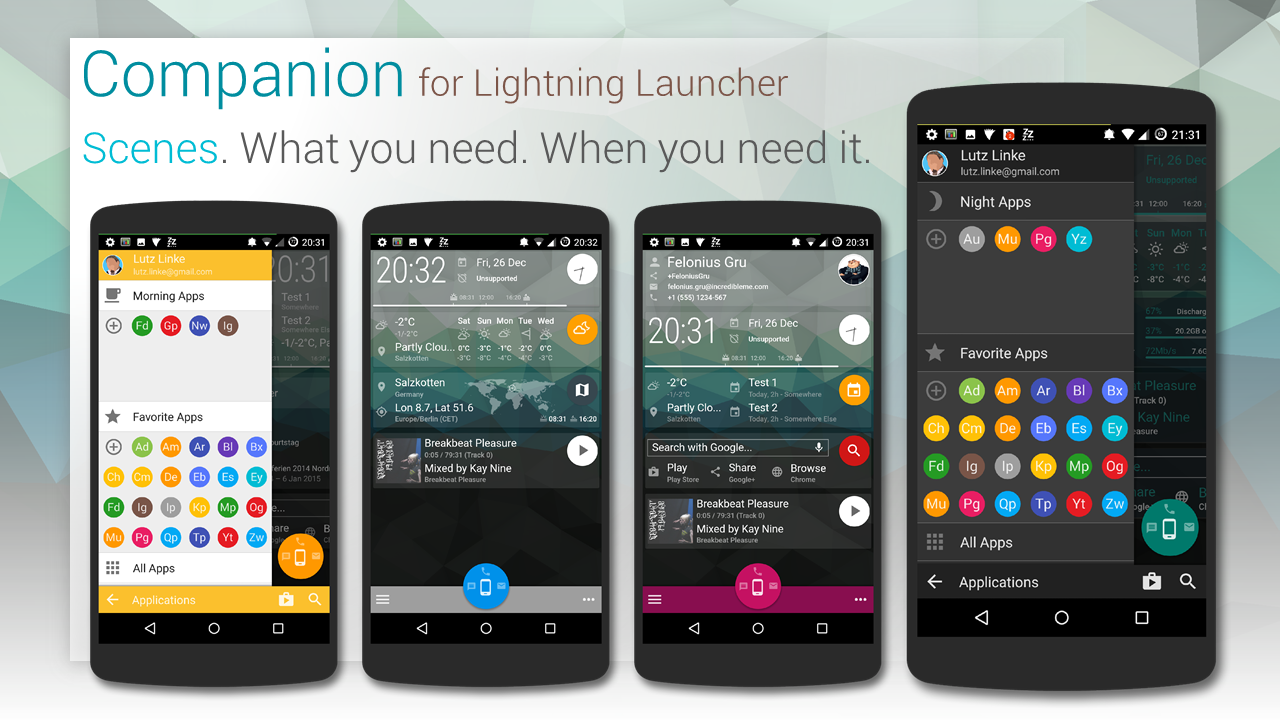
– Scenes (for many occasions: home, work, morning, night, travel, …; store your layout; scene specific sidebar folder; set specific colors per scene)
– Widgets (add, move, remove predefined or custom widgets; store layout in scene)
– SideBars (Left: favorite and scene-spscific apps; Right: widgets, scenes, settings)
– Phone Panel (Communication apps; your favorits contacts)
– Scene Scheduler (switch scenes automatically; define a schedule for scenes)
The location marker on the WorldMap widget is automatically positioned to your current location. The map is font-based, so you can choose between 15 different maps styles (outline, solid, rastered) by simply choosing a letter “c” to “p” in widgets setting (the layers are marked accordingly).
Also included:
– some wallpapers with Wallpaper Chooser and (optional) adjustable blur
– Icon Pack for compatible launchers (do NOT apply!! icons must be chosen manually!)


Finally.
WARNING: It is not recommended to install on devices with resolution higher then 1080×1920, since higher memory usage might cause instabilities, even freeze or crash LL. I’m sorry. I will try to optimize the template.
Originally shared by Lutz Linke
“Companion” for Lightning Launcher eXtreme
Now on Google Play Store …and: IT’S FREE!!!
https://play.google.com/store/apps/details?id=de.echtzeitig.lltemplate.companionhome
Designed for phones with 1080×1920 resolution, but also works on other 9:16 ratio like 720×1280.
Short promotional video here:
To get you started, here’s a more lengthy feature guide: http://youtu.be/Zme2rwdv4b0
For more information and support, please visit (and join) my community “echtzeitig apps” (https://plus.google.com/communities/110806742565956815090)
“Companion” is your daily companion template for Lightning Launcher:
– FAB (REALLY floats; visualizes missing calls, SMS and GMail; swipe gestures for quickly launching the apps)
– Scenes (for many occasions: home, work, morning, night, travel, …; store your layout; scene specific sidebar folder; set specific colors per scene)
– Widgets (add, move, remove predefined or custom widgets; store layout in scene)
– SideBars (Left: favorite and scene-spscific apps; Right: widgets, scenes, settings)
– Phone Panel (Communication apps; your favorits contacts)
– Scene Scheduler (switch scenes automatically; define a schedule for scenes)
The location marker on the WorldMap widget is automatically positioned to your current location. The map is font-based, so you can choose between 15 different maps styles (outline, solid, rastered) by simply choosing a letter “c” to “p” in widgets setting (the layers are marked accordingly).
Also included:
– some wallpapers with Wallpaper Chooser and (optional) adjustable blur
– Icon Pack for compatible launchers (do NOT apply!! icons must be chosen manually!)
New lockscreen…..using Lightning Launcher Extreme lockscreen so i have it when i slide my fingerprint to my avatar…

Originally shared by Jeff Ludlow
New lockscreen…..using Lightning Launcher Extreme lockscreen so i have it when i slide my fingerprint to my avatar it will unlock…simple but i like it….work on a homescren etc to go with it now 🙂
]]>These sentences still get translated.
Btw freely translated what it is saying is:
– the reason you want an IPhone not
– German language package for flash-thrower


For the redesign and updating all of the icons.. Maybe don’t use icons…
http://zavoloklom.github.io/material-design-iconic-font/
This is a font pack..
All of the ‘icons’ are characters in the font..
I have a script that I’m using to set individual ‘icons’ that I’ll throw in the comments..
Thought it might be interesting to implement in the app


Time to start to merge this to LL
Originally shared by Alberto “Salty22” Lopez
DESIGUAL cards UI download files here https://copy.com/fUQCDgYByBsFUq1l
As always big thanks to Erguillermin Apodo for his amazing presentations
I did this with Apex lancher.zooper widget.popup widget. And month calendar enjoy
Download templates move them to zooper under templates load a widget and choose .BOOOOOOM


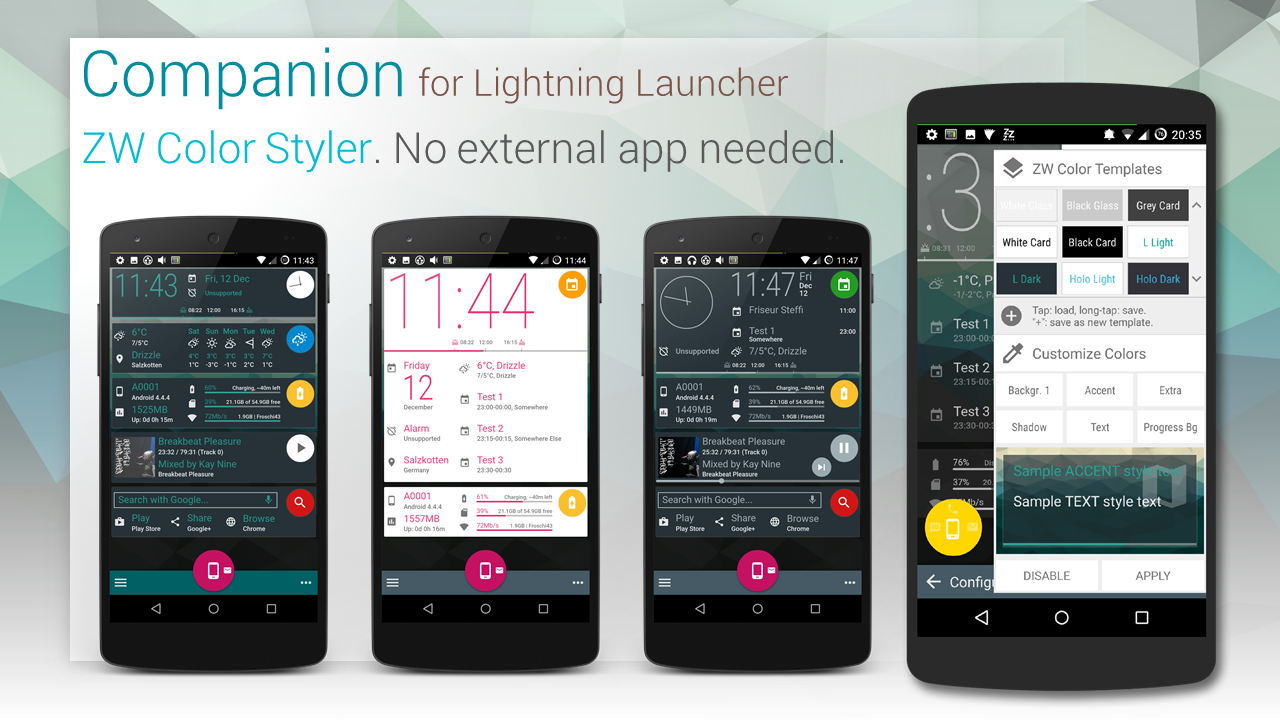
Here we go, this time some suggestions from you and full material palette to choose from.
Personally I like white-on-color scheme, not sure which one…


It is possible to view the number of notifications over the applications icons, like other launcher?
Sorry for my english
]]> D5 Creation