Lutz Linke
now browsing by tag
Finally.
WARNING: It is not recommended to install on devices with resolution higher then 1080×1920, since higher memory usage might cause instabilities, even freeze or crash LL. I’m sorry. I will try to optimize the template.
Originally shared by Lutz Linke
“Companion” for Lightning Launcher eXtreme
Now on Google Play Store …and: IT’S FREE!!!
https://play.google.com/store/apps/details?id=de.echtzeitig.lltemplate.companionhome
Designed for phones with 1080×1920 resolution, but also works on other 9:16 ratio like 720×1280.
Short promotional video here:
To get you started, here’s a more lengthy feature guide: http://youtu.be/Zme2rwdv4b0
For more information and support, please visit (and join) my community “echtzeitig apps” (https://plus.google.com/communities/110806742565956815090)
“Companion” is your daily companion template for Lightning Launcher:
– FAB (REALLY floats; visualizes missing calls, SMS and GMail; swipe gestures for quickly launching the apps)
– Scenes (for many occasions: home, work, morning, night, travel, …; store your layout; scene specific sidebar folder; set specific colors per scene)
– Widgets (add, move, remove predefined or custom widgets; store layout in scene)
– SideBars (Left: favorite and scene-spscific apps; Right: widgets, scenes, settings)
– Phone Panel (Communication apps; your favorits contacts)
– Scene Scheduler (switch scenes automatically; define a schedule for scenes)
The location marker on the WorldMap widget is automatically positioned to your current location. The map is font-based, so you can choose between 15 different maps styles (outline, solid, rastered) by simply choosing a letter “c” to “p” in widgets setting (the layers are marked accordingly).
Also included:
– some wallpapers with Wallpaper Chooser and (optional) adjustable blur
– Icon Pack for compatible launchers (do NOT apply!! icons must be chosen manually!)
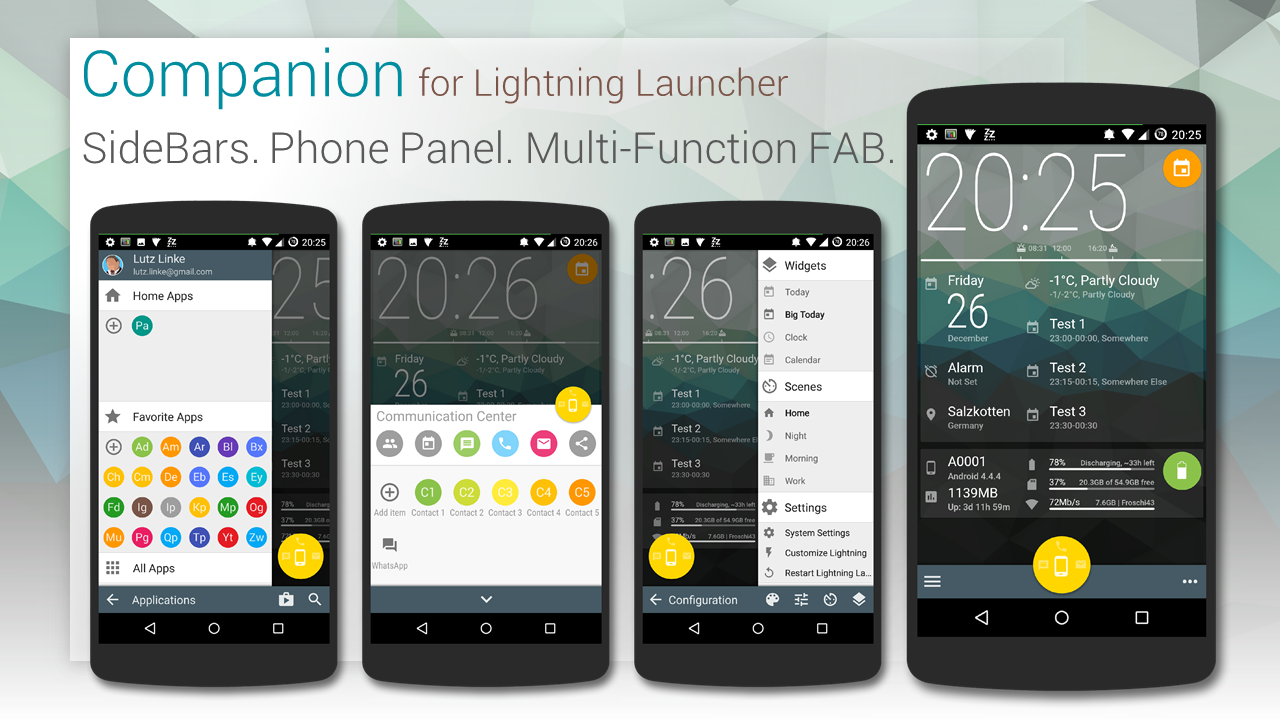
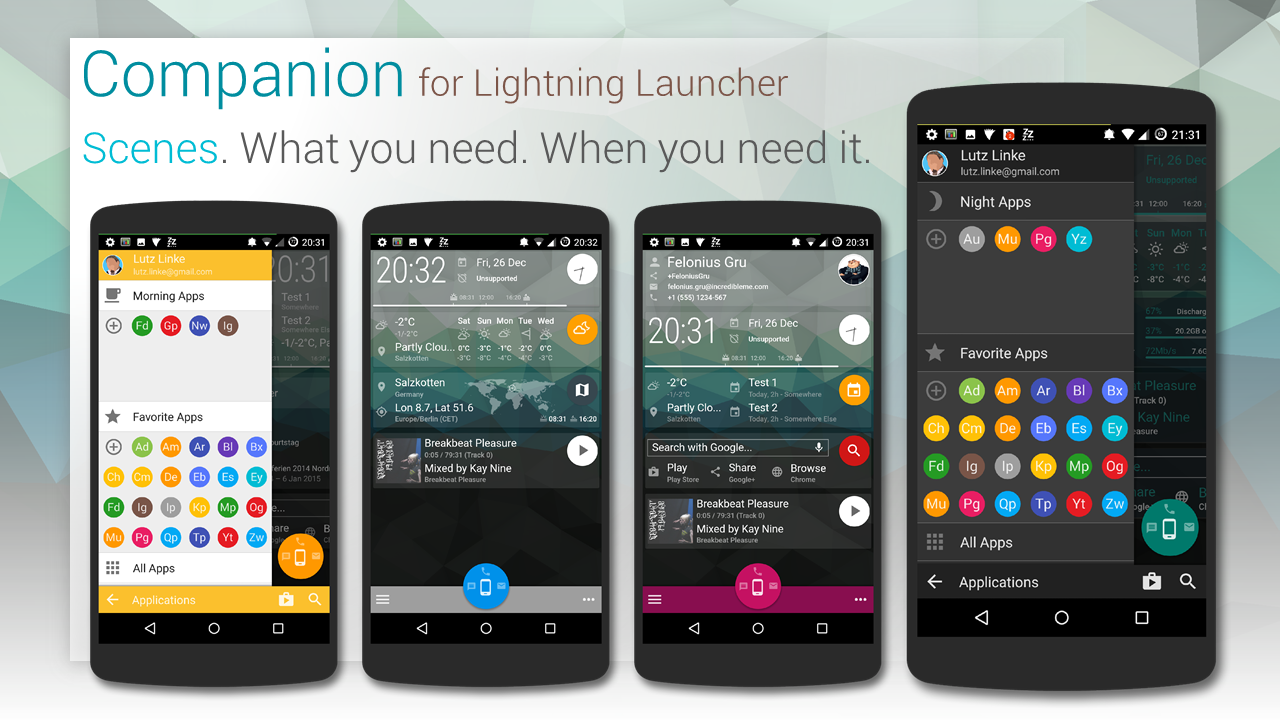


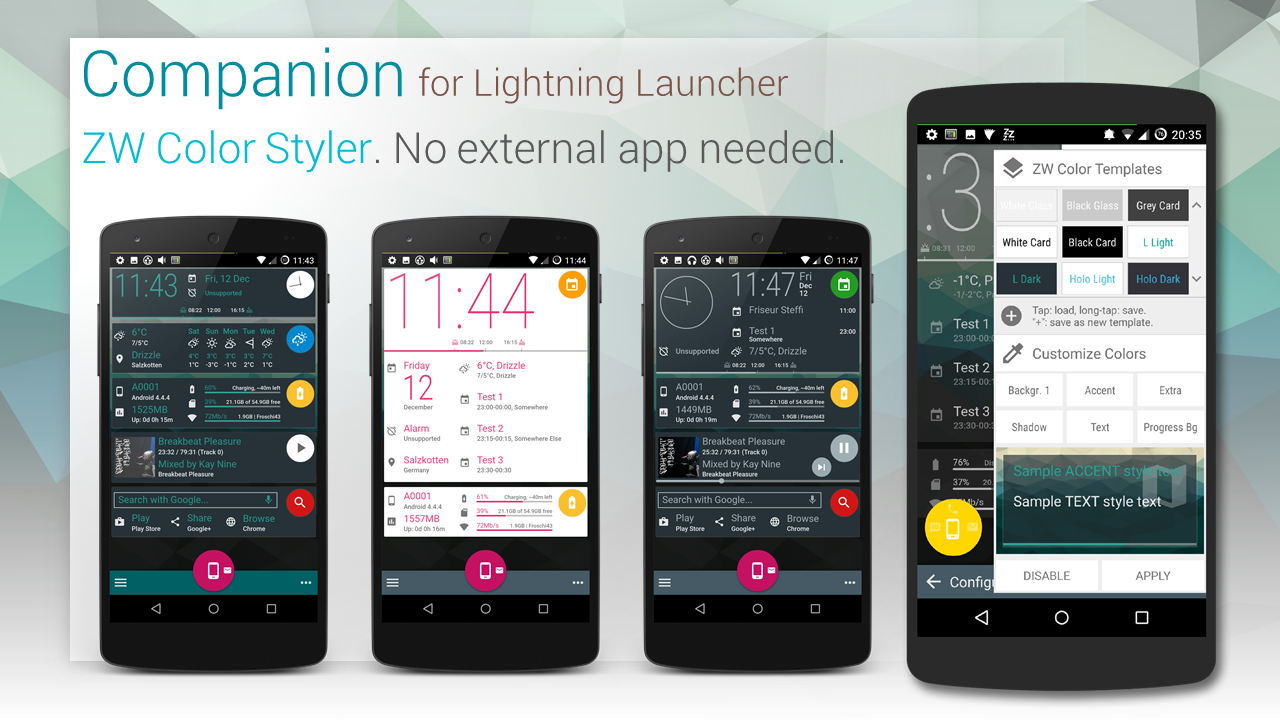
Although the last reviewed launcher… finally LL is listed in a “Best Android launchers” list! :-)
Damn it!
Damn it!!! I was just preparing the release of my current template, but just a few hours after I (for testing) published as BETA, it was suspended/removed by Google.
I have no idea what they are complaining about specifically about my “Violation of the intellectual property and impersonation or deceptive behavior”.
Your app and/or elements of its listing on Google Play, including title, description, logo(s), or promotional screenshots must not include unauthorized usage of protected works belonging to a third party.
I mentioned Zooper Widgets and Lightning Launcher eXtreme. Because it’s needed! How, gerd reuter , do you get away with that? Your descriptions mention the names (brands?) even repetitive.
Your app icon and promotional screenshots must not contain images that appear confusingly similar to existing products.
The screens showed only a tiny cover of a FREE album from Play Store. Maybe it’s the contact’s faces? Most plausible reason I can think of. Maybe I shouldn’t have used popular faces from G+ like Sebastian Spindler , Arturo MB or Alex T. … think I’ll change that and see what happens next.
What do you guys think?


Is there a reliable way to determine wether the screen is unlocked (stock(!) lockscreen) and home screen shown?
I have an issue with LL and ZW (not other widgets). I trigger animation of panels with ZWs inside on ScreenOn. But ZWs disappear until LL is restarted or animation done with screen visible or long tap on ZW. I tried delaying, but that is not a sufficiently reliable solution.
]]>Frequent “LL stopped working” since I moved from Nexus 4 to OnePlus One due to OutOfMemory exceptions.
Generally LL is running stable, memory usage about 160MB. But once (you know my current WIP template) some animations through script are triggered, memory usage jumps fast up to 200MB, which seems to be a critical level (despite 3GB RAM) at which LL starts to struggle. Suddenly LL stops responding. Sometimes after leaving it alone for a few minutes LL settles down and is working again (though it seems LL was somehow restarted). But mostly after a 1 or 2 minutes I get the “stopped working” message.
I know, Pierre Hébert , you explained the higher memory usage resulting from that higher resolution. But still I don’t understand why it crashes It’s driving me crazy. All I do is moving some (4 to 5) panels containing a widget from point A to point B. Why is this causing memory usage to go up that fast?
How I animate:
I determine a list/array of items (by getById) to be moved. Animation is done through a function which calls itself about 16 times (animation steps) through setTimeout. For each Item setPosition is called. That’s it. I compared that way to how others do animations, seems similar.
I’ll send you a logcat, here are on of the (to me) mysterious allocation faults. Free bytes seem enough for allocation. Is it due to fragmented memory?
E/art ( 5132): Throwing OutOfMemoryError “Failed to allocate a 42252 byte allocation with 1651160 free bytes”
E/art ( 5132): Throwing OutOfMemoryError “Failed to allocate a 524 byte allocation with 1612752 free bytes; failed due to fragmentation (largest possible contiguous allocation 65104 bytes)”
E/art ( 5132): Throwing OutOfMemoryError “Failed to allocate a 64 byte allocation with 1612752 free bytes; failed due to fragmentation (largest possible contiguous allocation 65104 bytes)” (recursive case)
W/System.err( 5132): java.lang.OutOfMemoryError: Failed to allocate a 1200828 byte allocation with 2277304 free bytes
W/System.err( 5132): at android.graphics.Bitmap.nativeCreateFromParcel(Native Method)
W/System.err( 5132): at android.graphics.Bitmap.access$000(Bitmap.java:29)
W/System.err( 5132): at android.graphics.Bitmap$1.createFromParcel(Bitmap.java:1459)
W/System.err( 5132): at android.graphics.Bitmap$1.createFromParcel(Bitmap.java:1451)
W/System.err( 5132): at android.widget.RemoteViews$BitmapCache.
W/System.err( 5132): at android.widget.RemoteViews.
W/System.err( 5132): at android.widget.RemoteViews.
W/System.err( 5132): at android.widget.RemoteViews$2.createFromParcel(RemoteViews.java:2536)
W/System.err( 5132): at android.widget.RemoteViews$2.createFromParcel(RemoteViews.java:2534)
W/System.err( 5132): at com.android.internal.appwidget.IAppWidgetService$Stub$Proxy.getAppWidgetViews(IAppWidgetService.java:561)
W/System.err( 5132): at android.appwidget.AppWidgetHost.createView(AppWidgetHost.java:347)
W/System.err( 5132): at net.pierrox.lightning_launcher.b.bc.a(Unknown Source)
W/System.err( 5132): at net.pierrox.lightning_launcher.views.ItemLayout.u(Unknown Source)
W/System.err( 5132): at net.pierrox.lightning_launcher.views.ItemLayout.a(Unknown Source)
W/System.err( 5132): at net.pierrox.lightning_launcher.b.n.a(Unknown Source)
W/System.err( 5132): at net.pierrox.lightning_launcher.views.ItemLayout.c(Unknown Source)
W/System.err( 5132): at net.pierrox.lightning_launcher.b.ab.j(Unknown Source)
W/System.err( 5132): at net.pierrox.lightning_launcher.c.a.o.commit(Unknown Source)
]]>How about creating a “Lightning Launcher Template Gallery”?
Yes, there’s a “Share your Screens” section here.
Yes, there’s a “Lightning Launcher User” community.
But I think a gallery web site for showing great templates (with links to Play Store or G+ posting) wouldn’t hurt but help users.
I have a webspace (hosted at Strato) with a still few gigbytes and domains free and would be willing to setup a WordPress site. Gallery should be the main part, it should allow tagging / categorizing as well as rating — but not comments, this would require moderation.
What do you think?
Domain suggestions (TLDs: .org .net .mobi .com .info)?
www.lightninglaunchergallery.net (long and easy to misspellable)
(addition Jacob Barton’s post https://plus.google.com/111836669294532396593/posts/7ZNJ8PzSRJc )
]]>I would like to set a “Name” for items.
Example: I have multiple shortcuts acting as checkboxes through icon-font based, so label is “x”=checked, “o”=unchecked. Currently use cell’s X/Y to determine item.
]]>Here’s some screenshots from PowerPoint to better help understand my “Color Scheme” suggestion.
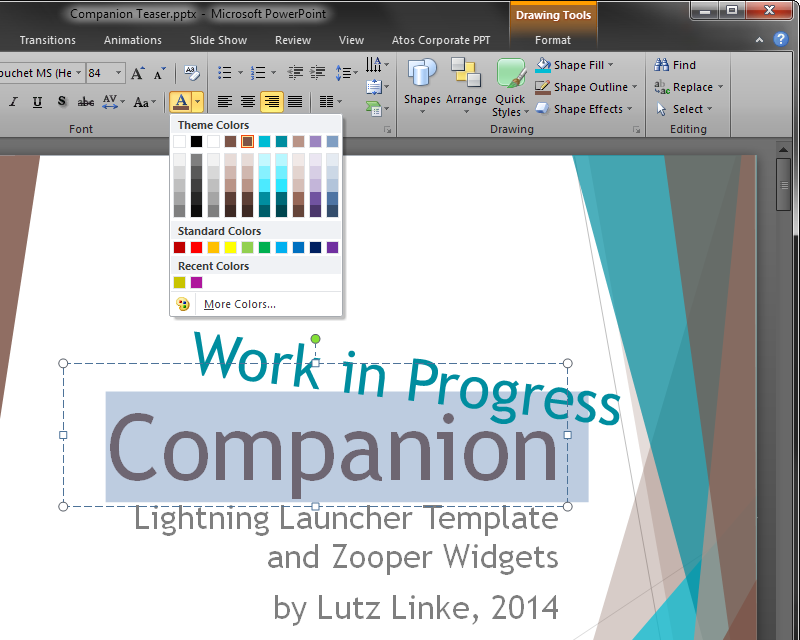
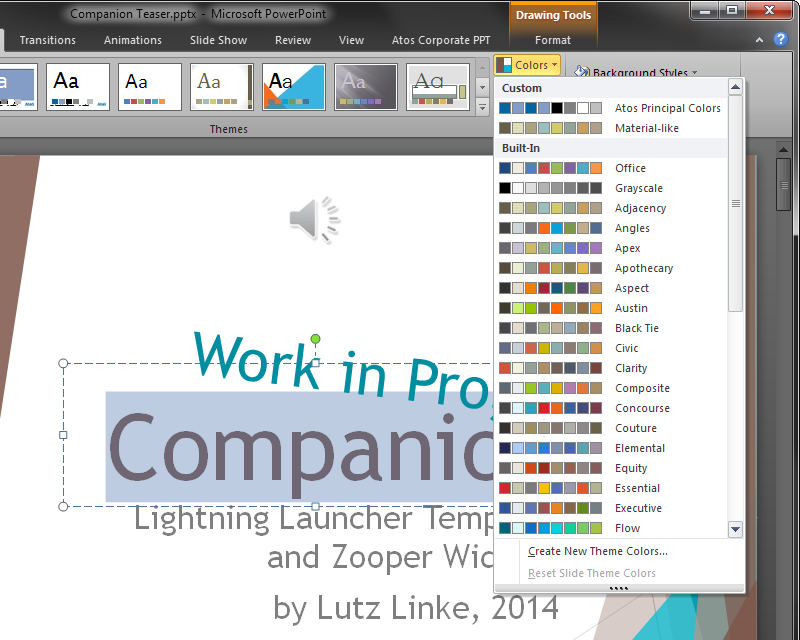
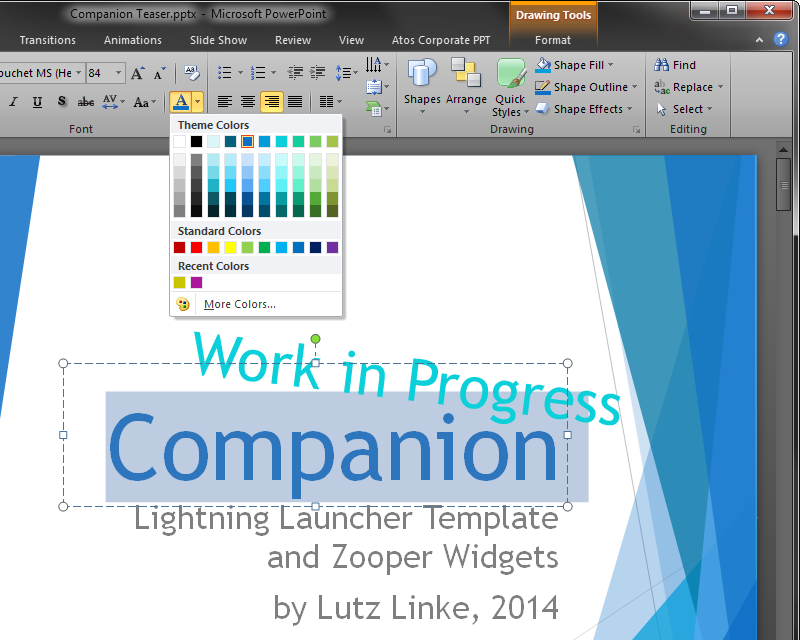
Josh Gray Pierre Hébert Here’s the Color Scheme Chooser mock-up.

Josh Gray Pierre Hébert Here’s the Color Scheme Chooser mock-up. Quick and simple. Tap the left box to choose from palette, tap right box to manually pick color. Color Scheme could be edited / switched via a top right edit button. Or a single color could be changed by long tapping it; Color Picker shows up.
]]> D5 Creation