Chris Chastain
now browsing by tag
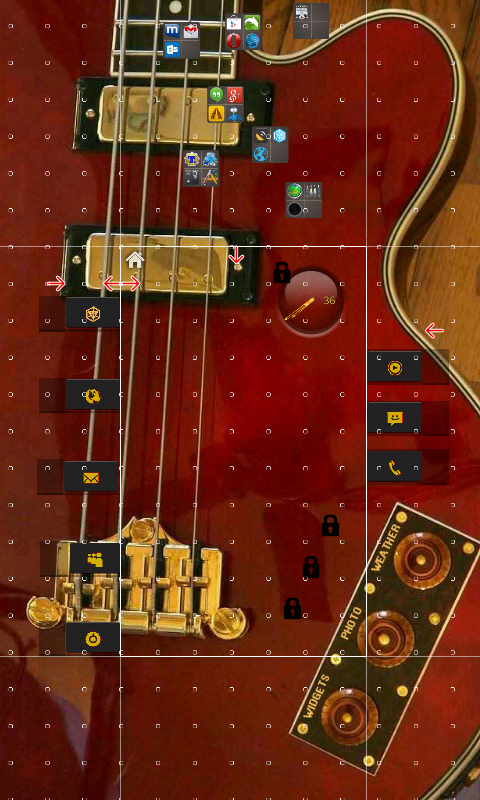
My simple Lockscreen, that basically mirrors my home screen on my TopTab template.

When moving an app out of an app drawer folder, it retains neither:
A. The style in app drawer
Or
B. The style in folder
Seems like incorrect behavior?
]]>Zsolt Golenya, here is a screenshot of RumbleKat template in edit layout mode, zoomed out so you can see how the…
Stop points are used so that adjoining pages only “slide” in as far as needed.
The folders in the top page are never seen because the upper stop point is a barrier. They are accessed through the buttons that slide in from the left side.
The stop points at the far left and right are barriers, so you can’t scroll past the intended edge of “panels”.
The two back to back stop points at upper left near the home icon are simply snap points so the screen will pop to its home page position.
Everything on the main page is pinned so it doesn’t move. I think this is the effect you are asking about. No swipe gestures, or LLX Panels are used. Just simple scrolling.
There is a video in the apk section, to see how it works.
Updated for better consistency.
The first version was kinda hurried… just down and dirty.
I’m still having problems with the clock size/placement reverting. Not sure if it’s just me, or a bug. You can tell if the 10 and 12 o’clock times show a … at the end. I use 360 width for clock.
Just an idea I had to scroll screens via bookmarks so that scrolling could be turned off to enable gestures. Not too sure how well I pulled it off.
Download: https://app.box.com/s/oxgtxnpa79tax96snpsx


DeepBlue II includes scrolling widget panel, scrolling clock panel w/4 clocks configured with Dynamic Text only (the…
Download: https://www.box.net/s/yii783n55dp0at4k4t46


Panel within a panel.

Panel within a panel.
Clock won’t update.
Interesting making edits of contents of nested panels. 😉 You have to go to edit mode 3 times.
Also, when “deepest” panel is in edit mode, outer panel works (buttons, gestures, etc). Not really a problem, but worth a mention.
]]>Same template but used the new panel feature.
I put a Panel on the top row of grid. Panel itself is in free mode to allow precise positioning of Dynamic Text clock and date. Apk updated.


No one, except perhaps a fellow bass player might dig this, but if you change the wall paper that theme is gone.
Download apk: https://app.box.com/s/set9ng6z5e943nuj7wx8
I may post a more generic one.
Thank you to +Chris Sledge for the clock. Just changed the hands to gold. Wallpaper photo by me.
Tiny white icons converted to gold w/ plenty of 9 patch.


Pierre Hébert, is there a practical size limitation of templates on your Template Packager?
I’ve done 4 no problem, but the one I have still been unsuccessful with is much bigger. Could that be the problem? Do you get logs from the Packager?
]]> D5 Creation